
Both look good the day they launch. The difference shows up later, and almost nobody explains it before you pay.
Someone shows you a gorgeous website.
And it's cheap.
You say yes. You swap the logo, add your photos, publish it.
And one day you spot it on another business.
It's no coincidence.
It's what happens when a website starts from a template.
of the new vulnerabilities found in the WordPress ecosystem in 2025 were in plugins. Only 6 were in WordPress itself. The system is rarely the problem — the pieces you keep adding to it are.
Patchstack · State of WordPress Security 2026 (2025 data)
A template is a design that already existed. You add your logo, your colours and your photos, and it works. For some businesses that's more than enough.
But you didn't decide the design — it was made for many businesses at once. And on WordPress it usually needs plugins for almost everything too — the form, the SEO, the speed — each with its own updates.
Building custom means writing your website from scratch, piece by piece: HTML, CSS and JavaScript, or Next.js when the project calls for it.
The form, the local SEO and the speed aren't plugins you install — they're inside the site from day one. There's no add-on store behind it, and no third-party pieces left waiting for an update.
And it has its less comfortable side: it's more work, so it costs more than a template at the start. And you don't make the changes yourself in an editor — we do. That's why it isn't for everyone — and below we tell you when a template is the better call.
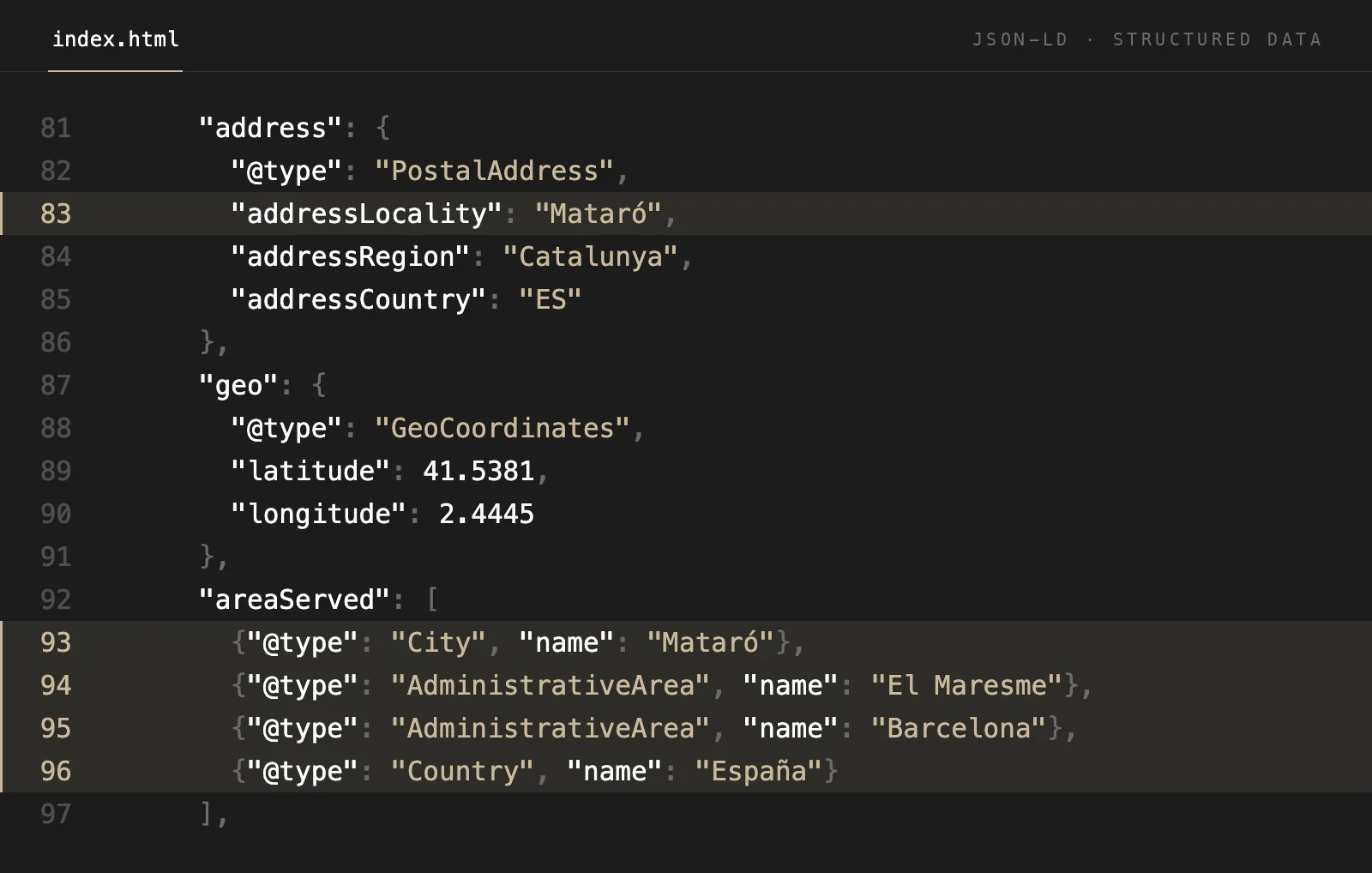
Swipe to see the code →
A real piece of our own website's code: it tells Google where we are and who we serve. There's no plugin behind it — it's written into the site. This is what a custom-built website looks like inside.
If you'll be posting news, prices or products daily and want to do it yourself, a visual editor gives you a kind of independence a custom site doesn't: with us, the changes are made by us.
For hundreds of products with a cart, stock and payments, there are platforms built for exactly that, like Shopify. That's the better tool for the job.
If you're testing an idea, or it's a stopgap site for a few weeks, a custom build isn't worth it. Start with a template and make the jump once the business is working.
Three things anyone selling you a website should be able to answer without hesitating.
How many plugins the site runs on and who keeps them up to date. If nobody can answer, that job will end up being yours.
Whether the site is yours once you've paid, or stays in the account of whoever built it. A website you can't take with you is a rental.
How it runs on a real phone. Ask for a live example and test it yourself on PageSpeed Insights (it's free), looking at the mobile score. Being told is not the same as seeing it.
At Onaia we build every website from scratch. And if what you need is a template, we'll tell you that too.
Tell us what you need →No weekly newsletters. No spam. Just an email when we publish something worth reading.